AI Background Generator – Swap Scenes in Seconds
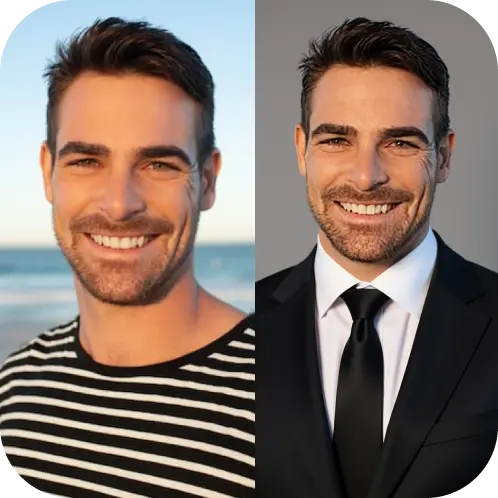
AI Backgrounds is an AI background remover and changer. It removes the background from a photo to leave a transparent cutout, or replaces it with a solid colour, a preset style or a scene you describe. The subject, whether a person, a product or a pet, stays in place while the lighting of the new background is matched to it.
How to remove or change a background
- Upload a photo. JPG, PNG or WEBP with a clear main subject.
- Choose the background type: Transparent for a PNG cutout, a solid or custom colour for marketplaces and brand posts, a preset style (marble, wood, fabric, nature blur, city blur, gradient or vintage paper), or a custom background described in your own words.
- Pick an aspect ratio: Original, Tall, Square or Wide.
- Process. Each image costs 10 credits. You get a before and after view, and the result is saved to your history.
Getting better edges
- Hair and fur cut out best against a background that differs strongly in colour.
- Glass, smoke and thin wires are hard for any background remover; expect to touch them up.
- A transparent cutout removes the floor shadow. A preset style adds a new one so the subject does not look like it is floating.
- Low light adds noise that can show up as a halo around the subject. Brighter photos give cleaner edges.
Common uses
White-background marketplace images, consistent team headshots on one brand colour, cutouts for thumbnails and slides, and quick scene changes for social posts when reshooting is not possible.
Remove or replace: which to choose
Use Transparent when the image is going into another design tool or a slide deck. Use a solid colour when the platform has background rules. Use a preset or custom scene when the image is the final post and needs context.
Frequently asked questions
Does it keep the original resolution?
Uploads are resized to about 1024 px for processing, which suits web and social use. For large prints, start from the sharpest photo you have.
Can I change only part of the background?
Not yet; the whole background is replaced.
Is my photo stored?
Results are kept in your history so you can download them later. See the Privacy Policy for how uploads are handled.