Product Shot Generator – Create Studio-Ready Mockups
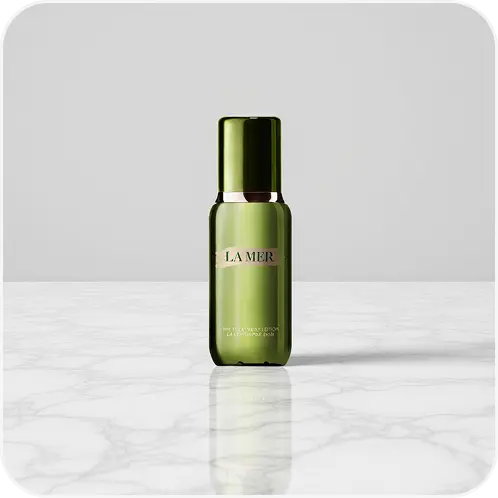
Product Shots is an AI product photography generator. It takes a phone photo of a product and places it into a styled scene, such as a marble counter, a wooden table, soft fabric or an outdoor setting, with matching light and shadow. It is built for small shops and creators who need consistent listing images but do not have a lightbox, a photographer, or time for manual compositing.
How to create AI product photos
- Upload the product photo. JPG, PNG or WEBP. Shoot the product straight on, filling most of the frame.
- Choose a scene. Pick a preset scene or write your own description in English, for example "on a light oak table next to a ceramic mug, morning window light".
- Choose the output shape. Keep the original ratio, or switch to Square for marketplaces, Tall for stories and pins, or Wide for banners.
- Generate. Each image costs 10 credits. Generate a few variations and keep the one that fits your catalogue.
Tips for listing-ready results
- Keep the label readable in the source photo. The tool keeps the product's shape and colours, but small text that is blurry in your upload will stay blurry.
- Use one scene per product line. Reusing the same scene and aspect ratio across products makes a shop page look consistent.
- Match the scene to the product. Skincare suits stone and fabric, food and kitchenware suit wood, and gadgets suit gradients and city backgrounds.
- Check scale. A preset scene does not know how big your product is. If a ring looks as big as a vase, describe the size in a custom scene.
When to use something else
Some marketplaces require a pure white background for the main image. Use AI Backgrounds with a white solid colour for that, and keep styled scenes for secondary images and ads. Product Shots is not a replacement for showing real defects, sizes or packaging; buyers still need accurate photos.
Honest use
Generated scenes are illustrations. Do not use them to show features, accessories or results the product does not have, and follow your marketplace's rules on edited images.
Frequently asked questions
Will the product itself be changed?
The goal is to keep it unchanged, but generative tools can slightly alter fine details. Compare the result against the original before publishing.
Can I use the images commercially?
Yes, for products you own or sell, subject to our Terms of Service.
What if no preset fits?
Use the custom scene field and describe the surface, props and light you want.