RoboNeo Beginner's Guide: How to Create AI Images Without Design Skills
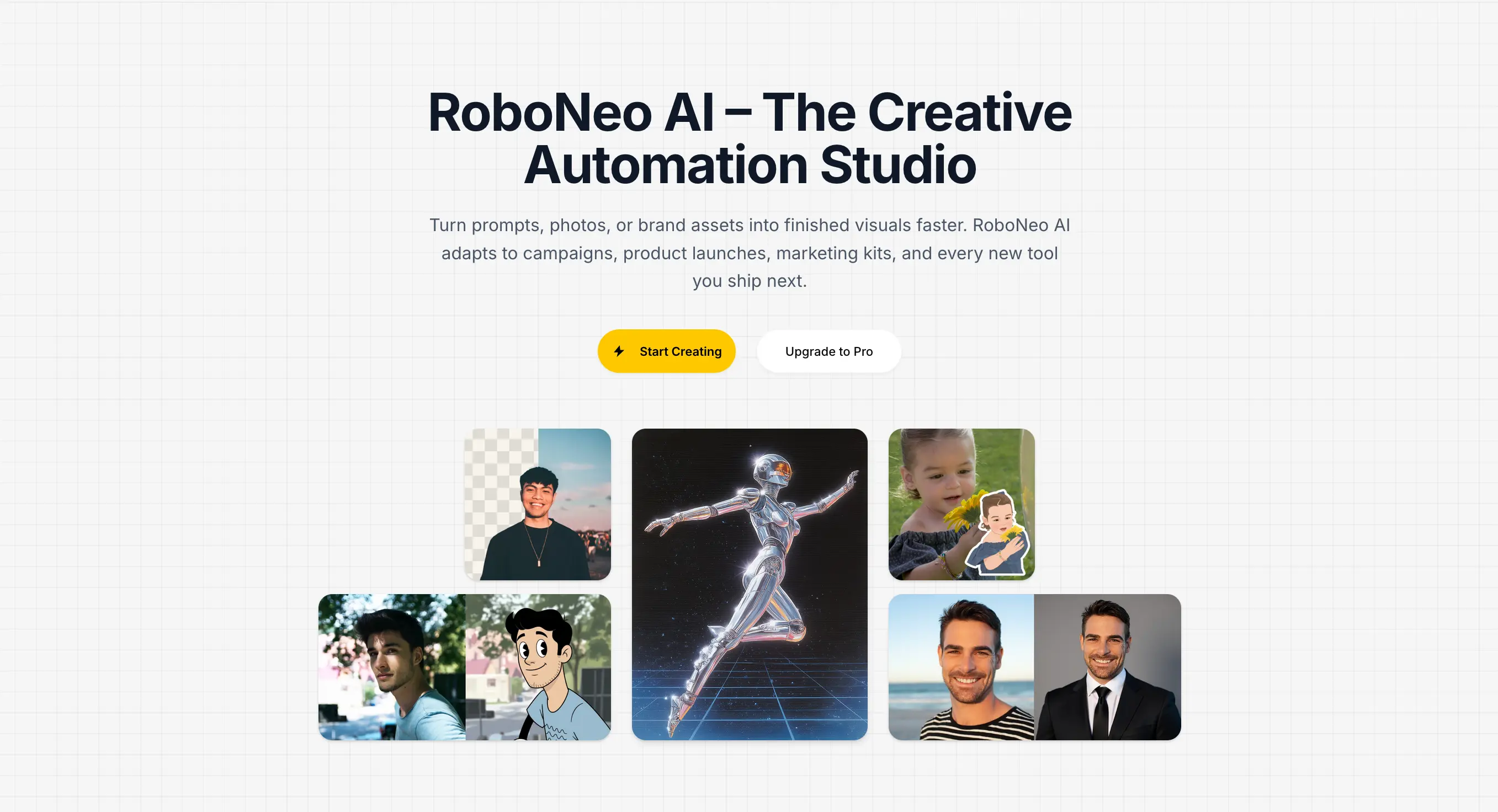
New to RoboNeo? This complete beginner's guide covers every AI tool, how credits work, and step-by-step tutorials to create stunning images from scratch — no design experience needed.
If you have ever wanted to create professional-quality images but felt stopped by a lack of design experience, RoboNeo was built for exactly that situation. No Photoshop skills, no monthly Adobe subscription, no design degree required. Everything runs in your browser at roboneo.art.
This beginner's guide covers every tool on the platform, explains how the credit system works, and walks you through your first generation step by step. By the end, you will know exactly which tool to use for each creative task — and how to get the most out of your credits.
What Is RoboNeo?
RoboNeo is a web-based AI image generation platform that turns ordinary photos and text prompts into polished, professional visuals. Instead of requiring you to learn complex software, it handles the hard part automatically using state-of-the-art AI models from OpenAI, Cloudflare, and other leading providers.
The platform focuses on practical, everyday creative needs:
- Turning product photos into studio-quality shots
- Converting selfies into animated stickers for social media
- Replacing image backgrounds in seconds
- Creating professional profile pictures from a casual photo
- Removing unwanted watermarks from images
Everything runs directly in your browser — no app to download, no plugins to install.
Who Is RoboNeo For?
RoboNeo is designed for people who need great visuals without a steep learning curve:
| User Type | How They Use RoboNeo |
|---|---|
| E-commerce sellers | Product shots against clean backgrounds |
| Social media creators | Animated stickers, profile pictures, Reels content |
| Small business owners | Marketing visuals without hiring a designer |
| Students & hobbyists | Experimenting with AI art for fun |
| Freelancers | Quick client deliverables at low cost |
If you fall into any of these categories — or simply want to see what AI image generation can do — this guide is for you.
Overview of Every RoboNeo Tool
1. AI Sticker Maker
Best for: Social media stickers, animated avatars, iMessage reactions
The AI Sticker Maker transforms any photo into a stylized sticker with a transparent background. Upload a photo, choose one of four art styles, and download a PNG sticker in about 30 seconds.
Available styles:
- iOS Sticker — Apple Memoji-style 3D avatar
- Pixel Art — Retro 8-bit game character
- LEGO Minifigure — Classic brick-toy version
- Snoopy Style — Peanuts comic illustration
You can also animate any sticker into a short video (called a Live Photo) for use on Instagram Stories, TikTok, and iMessage.
Credit cost: 10 credits per sticker · 100 credits per Live Photo video
2. AI Product Photography
Best for: E-commerce listings, Amazon product pages, social ads
The AI Product Shot generator places your product in a professional studio environment without you needing a physical studio or photographer. Upload a photo of your product against any background, and the AI replaces the background with a clean, studio-quality setting.
This tool is a game-changer for small sellers who cannot afford a professional photoshoot every time they list a new product.
Credit cost: 10 credits per image
3. AI Background Generator
Best for: Portraits, headshots, creative composites
The AI Background Generator removes your existing background and replaces it with an AI-generated scene — a city skyline, a mountain landscape, a minimalist gradient, or anything you describe. It works on people, pets, and objects alike.
Credit cost: 10 credits per image
4. AI Profile Picture Maker
Best for: LinkedIn, Twitter/X, professional bios, app avatars
The AI Profile Picture Maker takes a casual selfie and produces a polished, professional headshot. The AI enhances lighting, sharpens details, and applies a clean, neutral background suitable for professional use.
No more worrying about whether your current profile photo looks professional enough.
Credit cost: 10 credits per image
5. Scream AI
Best for: Viral memes, reaction content, TikTok videos
Scream AI is RoboNeo's most playful tool. It takes any portrait photo and transforms it into an exaggerated, dramatic "screaming" expression — a popular meme format that performs extremely well on TikTok and Reddit.
Credit cost: 10 credits per image
6. AI Watermark Remover
Best for: Cleaning up stock images, restoring old photos
The AI Watermark Remover detects and erases text watermarks, logos, and stamps from images. The AI then intelligently fills in the removed area so the image looks natural and unedited.
Credit cost: 5 credits per image
How the RoboNeo Credit System Works
RoboNeo uses a credit system rather than charging per tool separately. Credits act like tokens — each generation costs a fixed number of credits, and you can always check your balance in the top navigation bar.
How to Get Credits
Free account: New users receive starter credits upon sign-up. This is enough to try most tools and see results before committing to a plan.
Pay-as-you-go packs: Purchase credits in bundles whenever you need them — no subscription required.
Pro subscription (monthly or yearly): Get a large credit allocation every billing period, permanent cloud storage for all generated images and videos, and no advertisements.
Lifetime plan: One-time payment for a lifetime credit allocation — best for power users who generate content regularly.
Visit the pricing page to compare all plans.
Tips to Make Credits Last
- Preview before animating. Generate the static sticker first (10 credits), then only animate the ones you love as Live Photos (100 credits).
- Use high-quality source photos. Better inputs mean better first-pass results — fewer retries, fewer wasted credits.
- Download everything immediately. Free accounts have time-limited storage, so save your results right away.
- Check the credit cost before generating. Each tool shows the cost upfront so there are no surprises.
Getting Started: Your First AI Image in 5 Minutes
Here is the fastest way to go from sign-up to your first result.
Step 1: Create a Free Account
Go to roboneo.art and click Sign Up. You can register with your email address or use Sign in with Google for a one-click setup. No credit card required.
Step 2: Choose a Tool
For your first generation, we recommend the AI Sticker Maker — it is fast (30 seconds), visually dramatic, and immediately shareable.
Navigate to roboneo.art/sticker.
Step 3: Upload a Photo
Click the upload area and select a photo from your device. A clear, well-lit portrait works best for your first try. Supported formats: JPG, PNG, WEBP up to 8 MB.
Step 4: Pick a Style
Choose iOS Sticker for a clean, modern result. If you prefer something more playful, try Pixel Art or LEGO Minifigure.
Step 5: Generate and Download
Click Generate Sticker and wait about 30 seconds. Your sticker will appear in the preview. Click the download button to save it as a transparent PNG.
That is it. You have created your first AI image.
5 Beginner Mistakes to Avoid
Learning what not to do will save you credits and frustration.
- Using blurry or dark photos. AI works with what you give it. A dark, grainy photo produces a dark, grainy sticker. Always use the clearest photo available.
- Refreshing the page mid-generation. Processing takes 30 to 120 seconds. Refreshing during this window will cancel the job and you will lose the credits spent.
- Ignoring the credit balance. Check your balance before a large batch generation session. Running out mid-project is frustrating.
- Only trying one tool. RoboNeo's tools are complementary. A product photographer who only uses Product Shots is missing out on the Background Generator that could add creative variety.
- Not saving generated images. Free accounts have a 14-day storage window for some content types. Download and save locally as soon as you are satisfied with a result.
Frequently Asked Questions
Is RoboNeo completely free?
RoboNeo offers a free tier with starter credits so you can try every tool before buying. Some features — like permanent video storage and watermark-free downloads — are reserved for Pro subscribers. See the full comparison on the pricing page.
Do I need to install any software?
No. RoboNeo runs entirely in your web browser. No downloads, no plugins, no installation required. It works on Mac, Windows, and mobile devices.
What image formats does RoboNeo support for uploads?
RoboNeo accepts JPG, JPEG, PNG, and WEBP files up to 8 MB. For best results, use high-resolution images with good lighting.
How long does generation take?
Most AI image tools (stickers, product shots, backgrounds, profile pictures) complete in 20 to 45 seconds. Live Photo video animations take 30 to 120 seconds depending on server load.
Can I use generated images commercially?
Yes. Images you generate with your inputs are provided for both personal and commercial use. You retain ownership of your output. See the Terms of Service for full details.
What happens if I run out of credits?
Your account is simply paused — no hidden charges. You can purchase a credit pack or upgrade to a Pro plan to continue generating. Your saved history and existing images remain accessible.
How do I contact support?
You can reach the RoboNeo team via the Contact page or by emailing hi@roboneo.art directly.
Ready to Start Creating?
You now have everything you need to use RoboNeo confidently. Pick a tool that matches your immediate need, upload a photo, and generate your first result in under a minute.
- Want animated stickers? → AI Sticker Maker
- Selling products online? → AI Product Photography
- Need a professional headshot? → AI Profile Picture Maker
- Refreshing a background? → AI Background Generator
No credit card required. Starter credits included with every new account.