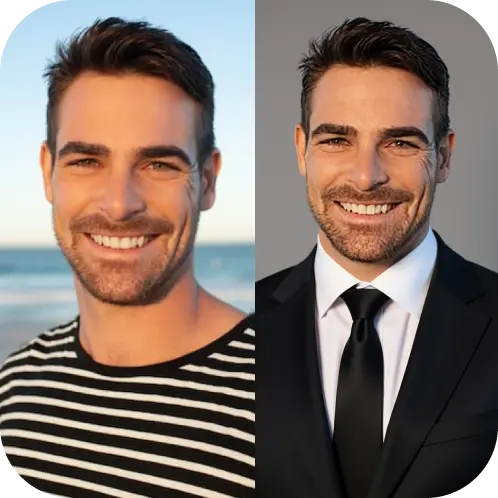
TRENDINGHotel Lobby AI is here: put any two photos in the viral orange-booth duet.Try Hotel Lobby AI

RoboNeo AI Image Generator LogoRoboNeo
  • Home
  • Create
  • Tiny Desk AI preview
    Tiny Desk AINew
    Your face on the lead singer of the Outstanding meme
    Ozil Goal AI preview
    Ozil Goal AINew
    Your photo, an AI football goal inspired by Özil
    Zombie Couple Video preview
    Zombie Couple VideoNew
    The AI zombie love story from two photos
    Bulin 47 AI preview
    Bulin 47 AIHot
    Put your photo in the viral Bulin 47 freestyle
    Hotel Lobby AI preview
    Hotel Lobby AITrending
    Put two photos in the viral orange-booth duet
    Genjutsu AI preview
    Genjutsu AINew
    Swap the character or object in any clip, keep the motion
    Profile Picture Maker preview
    Profile Picture Maker
    Professional AI portrait creator
    Sticker preview
    StickerLive Photo
    Turn photos into expressive stickers
    Scream AI preview
    Scream AI
    Cinematic horror portraits in one click
    Product Shots preview
    Product Shots
    AI product photography studio
    AI Backgrounds preview
    AI Backgrounds
    Intelligent background editor
  • Apple Memoji PromptsExplore AI-generated Memoji style stickers
  • Pricing
  1. Home
  2. AI Tools
  3. Image to Sticker

AI Image to Sticker Generator: Turn One Photo into a Reusable Sticker

Upload selfies, pets, or product shots, choose a style, and RoboNeo AI exports transparent PNG stickers ready for WhatsApp, Telegram, Instagram Stories, and merch drops — then animate them as Live Photos with one click.

Loading...

Sticker Maker – Turn Any Photo into Stickers

RoboNeo's AI image to sticker generator takes a normal photo, such as a selfie, a pet, a product or a mascot drawing, and returns a sticker: the subject cut out cleanly, outlined, and placed on a transparent background so it can be dropped into chats, slides, packaging mockups or social posts without further editing.

How to make a sticker from a photo

  1. Upload a photo. JPG, PNG and WEBP all work. One clear subject gives the best result; group photos tend to merge people into a single cutout.
  2. Pick a style. iOS Sticker keeps the subject close to the photo with a white die-cut border. Pixel Art redraws it in a low-resolution game look. Brick Figure turns it into a small toy figure, and Classic Comic redraws it as a hand-drawn comic character.
  3. Generate. Each sticker costs 10 credits. The result appears next to your upload so you can compare them, and it is saved to your history.
  4. Download or animate. Download the PNG, or turn the sticker into a short looping video (100 credits) for messaging apps and short-form posts.

Getting a clean cutout

  • Contrast matters more than resolution. A subject on a plain wall cuts out better than one in front of a busy shelf. Uploads are resized to roughly 1024 px, so a sharp phone photo is enough.
  • Keep the whole subject in frame. Cropped ears, hands or product corners stay cropped in the sticker.
  • For faces, looking at the camera with even light gives the most recognisable result. Strong backlight often darkens the face.
  • Text and logos on clothing or products may be simplified, especially in Pixel Art.

What people use it for

Custom chat sticker packs of family and pets, team mascots for Slack or Discord, product stickers for shop listings and packaging mockups, and quick illustrations for slides where a cut-out photo looks better than a rectangle.

Limits to know

The tool works on one subject per image. Very small subjects, under about a quarter of the frame, can lose detail. It does not draw new characters from text; for that, use the Create workflow. Only upload photos you took or have permission to use, and do not upload images of other people without their consent.

Related tools

  • Need a cutout without a sticker border? Use AI Backgrounds for a transparent PNG
  • Want a new character instead of a photo? Generate one from text in RoboNeo Create

Frequently asked questions

Is the background really transparent?

Yes. The download is a PNG with an alpha channel, so it sits on any colour.

Can I print the stickers?

Yes, the PNG can be sent to a print shop. For large prints, start from the sharpest photo you have.

Why does my sticker look different from the photo?

The stylised presets redraw the subject on purpose. Choose iOS Sticker when you want the result to stay close to the original.
Ready to create with RoboNeo AI?

Create a RoboNeo AI account, pick a credit pack or subscription, and start generating stickers, product shots, backgrounds, and more.

RoboNeo AI Image Generator LogoRoboNeo

Transform photos and ideas into share-ready art with Roboneo AI - The Ultimate AI Art Generator.

Email
Tools
  • Tiny Desk AI
  • Ozil Goal AI
  • Image to Sticker
  • Hotel Lobby AI
  • Genjutsu AI
  • Scream AI
  • Product Shots
  • AI Backgrounds
  • Profile Picture Maker
Gallery
  • Apple Memoji Prompt
Company
  • About us
  • Contact
  • Pricing
  • Blog
Legal
  • Privacy Policy
  • Cookie Policy
  • Terms of Service
  • Refund Policy
© 2026 RoboNeo All Rights Reserved. Independent site, not affiliated with roboneo.com.
Featured on Startup FameFeatured on Twelve Toolsyo.directoryDeep Blue Directory.com🚀SubmitHuntFeatured on ProductBurstGood AI ToolsDang.aiFazier badgeAI Directories BadgeFeatured on findly.toolsFeatured AI Agents on AI Agents DirectoryFeatured on ShowMeBestAIMossAI ToolsAI Nav SiteFeatured on EarlyHuntShowMySitesFeatured on Wired BusinessAs seen on Launch Llama NewsletterVerified DR - Verified Domain Rating for roboneo.artLovable App BadgeLaunching on Better Launch

Explore more AI tools

Product Shots

Product Shots demo

Generate studio-quality product photos with on-brand backgrounds, lighting, and shadows, no shoot needed.

AI Backgrounds

AI Backgrounds demo

Generate realistic AI backgrounds that match your scene's lighting and perspective in seconds.

Profile Picture Maker

Profile Picture Maker demo

Create polished, on-brand profile photos with subtle retouching and platform-ready crops.

Scream AI Horror

Scream AI horror scene demo

Transform portraits into suspenseful Ghost Face inspired scenes while preserving identity.